About Me
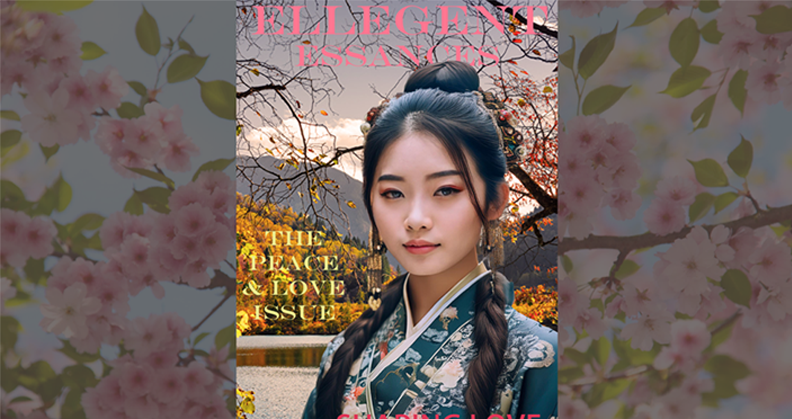
Magazine Cover
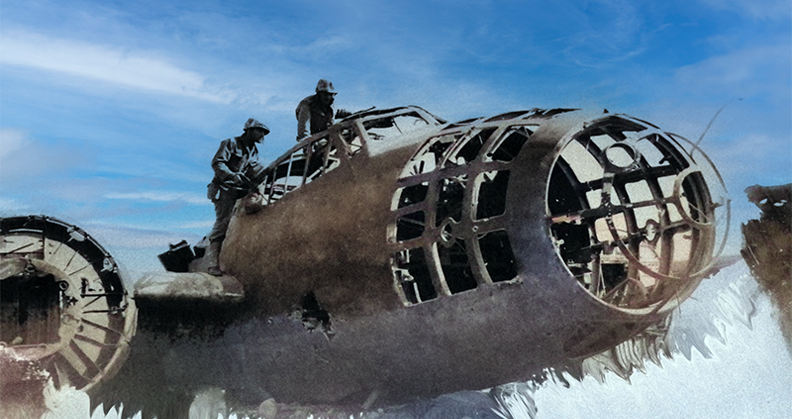
Restored Image

Social Media Banner
Notes
Magazine Cover
Click here for notes- Found a picture of an Asian woman on google with traditional attire.
- Next I copied and saved it in my file.
- Then I clicked generate image to give me some other options and images that will fit.
- Then I selected the object selection tool, next subject select.
- Then I created a blank select and mask.
- Once I did that I found an image for a background on google to put behind the image.
- I used the crop tool to make sure it fit in nice and neat.
- Now I’m gonna use the text tool to give some words to the magazine.
Restore Image
Click here for notes- Pick an image, you can find some on google or wikipedia.
- Save and download the image to photoshop
- Find any spots you might think need restoring
- Use the Quick Selection Tool: This tool (shortcut W) lets you "paint" over the subject to select it. It's great for subjects with a decent amount of contrast against the background.
- Next use Spot Healing Brush Tool (J): This is your go-to for removing small blemishes, dust spots, and minor scratches.
- Select and Mask: With your selection active, click the Select and Mask button in the options bar at the top. This will open a new workspace where you can use the Refine Edge
- Then remove the original background
- Create a Layer Mask: The safest and most common way to do this is with a Layer Mask. With your selection active, click the Add layer mask button (a rectangle with a circle inside) at the bottom of the Layers panel. This will hide the background, but not permanently delete it, allowing for easy edits later.
- Add a new background
- Place the Background: Drag your new background image into your Photoshop document.
- Arrange Layers: In the Layers panel, drag the new background layer below the layer with your subject. This will place the subject on top of the new background.
- Lastly, Resize and Adjust: Use the Move Tool (shortcut V) and Free Transform (Ctrl+T or Cmd+T) to resize, position, and rotate the new background until it looks right. You can also use adjustment layers to match the lighting and color of the new background to the subject.
Social Media Banner
Click here for notes- Made new file.
- Made circles with different colors and overlapped each other
- Then I exported a picture from google.
- Next right clip and create a clipping mask.
- Then I changed the fill to 65 percent.
- I use the polygon tool and give it 6 points.
- I duplicate it and put the blue in the back and white in front.
- Next layer style, drop shadow.
Christopher Baribault
Professional Summary
I designed and built a fully responsive website for my class, which utilized HTML5, CSS3, and JavaScript, with Bootstrap for the front-end framework.
Work Experience
Head Cook
Jun 2018 - Nov 2020Whataburger, San Antonio, Texas
- Over saw food perpetration and production safety procedures were followed during COVID-19.
- Trained and guided 5 other line cooks, improving overall performance, service quality and productivity.
Custodial Assistant
May 2016 - Sep 2017Sea World, San Antonio, Texas
- Performed basic repair duties, responsible for park cleanliness, managed and maintained storage facility.
- Conducted periodical inspections of equipment to ensure it met safety and functionality standards.
- Maintained facilities and grounds safe and in compliance of state, county, city and federal standards.
Education
UTSA
2024 - 2025Web Design
Skills
Skills and Experience
I have a comprehensive skill set that covers the entire web development lifecycle. I am proficient in modern front-end technologies, including HTML, CSS, and JavaScript, as well as frameworks like Bootstrap. I also have hands-on experience with popular design software like Adobe Photoshop, which allows me to seamlessly transition from design mockups to functional, pixel-perfect websites. This versatility means I can handle every phase of a project, ensuring a consistent and high-quality result.